

Premedication captured, handover done
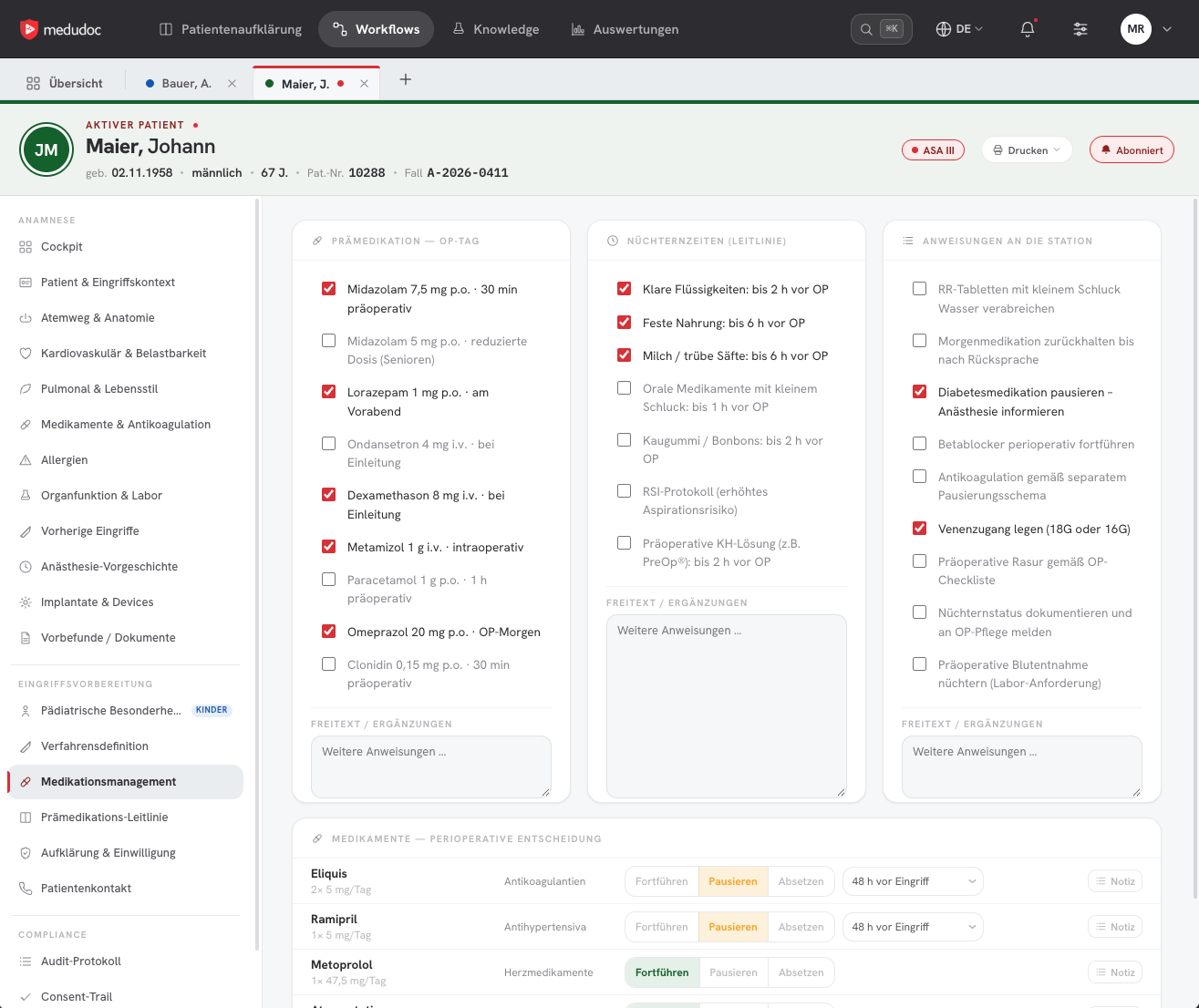
Physicians capture the entire premedication directly in the case – discontinuation and dose changes of medication, instructions to the ward and clearance. medudoc transfers the information into a premedication record, and the handover runs without a break in the process.
Captured in the case
Everything the premedication specifies – in one place
Physicians document the premedication directly in medudoc as part of validation – structured rather than as free text, and in the same case as the medical history.
Define the technique
Procedure, anaesthetic technique, airway management, monitoring and pain management.
Decide on medication
Specify for each medication whether it continues, is discontinued or has its dose changed – plus the premedication on the day of surgery.
Fasting times
According to guideline, matched to the procedure and the patient.
Instructions to the ward
What the team must do before the procedure is recorded in a structured way in the case.
Clearance with status and comments
As soon as the case is cleared, everyone involved can see its status – without having to ask the clinic.
Handover
From clearance to the ward without a break
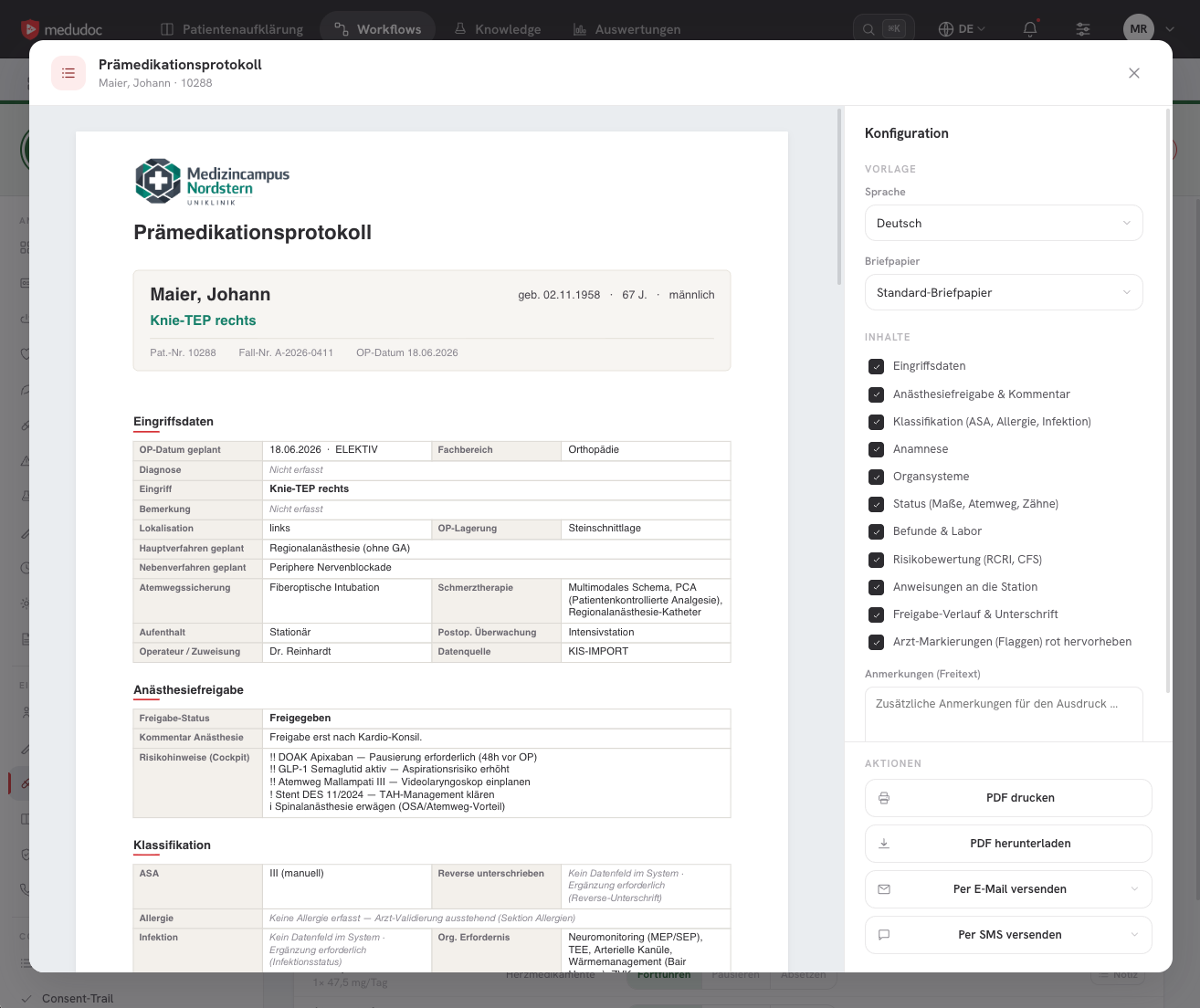
The premedication record is created automatically from the structured information. It is available to the treatment team on the day of the procedure – digitally or as a printout.
1. Capture premedication
Physicians capture medication, technique and instructions in the case.
2. Clear the case
The anaesthesia clearance makes the status visible to everyone involved.
3. Generate the record
medudoc creates the premedication record automatically from the structured data.
4. Hand over to ward and OR
The record goes to the treatment team and as a PDF to the hospital information system (HIS) or patient data management system (PDMS).
5. Inform patients
Patients receive important information on preparing for surgery, such as discontinuing medication, by text message or email.
So your OR schedule holds.
For everyone involved
Every role sees what it needs
The record is not an additional document but the result of data that is already in the case.
Anaesthesia
- Premedication in the same system as medical history and patient education
- Medication information and specialist society recommendations at a glance
- Clearance with status and comments for each case
Ward and surgical team
- Premedication record digitally or as a printout
- Clear instructions instead of follow-up queries
- Clearance status for each case
Insight
What premedication looks like in medudoc
Next in the workflow
- Documentation & archivingComplete consent trail and audit-proof archiving as PDF/A.Learn more
- Validation & risk assessmentRisk factors and key figures for each case, prepared for medical assessment.Learn more
- Consent discussionOn site or telemedical – prepared by video and consent sheet.Learn more
- InterfacesHL7 FHIR, Platform API and Partner API for HIS, PMS and partner systems.Learn more
See premedication in your workflow
In a demo, we show you how the premedication record for your ward is created from medical history and clearance.